QR Code Generator
Tool · New
Make a free QR code for a link, Wi-Fi, a contact card, email, phone or text. Static codes that never expire, with no sign-up and no watermark. Download PNG or SVG, or print.
Over 3,000 instruments and 35 singers on stage in a 3D concert hall with simulated acoustics. Play any of them, write a score or drop in a MIDI file and the hall performs it.
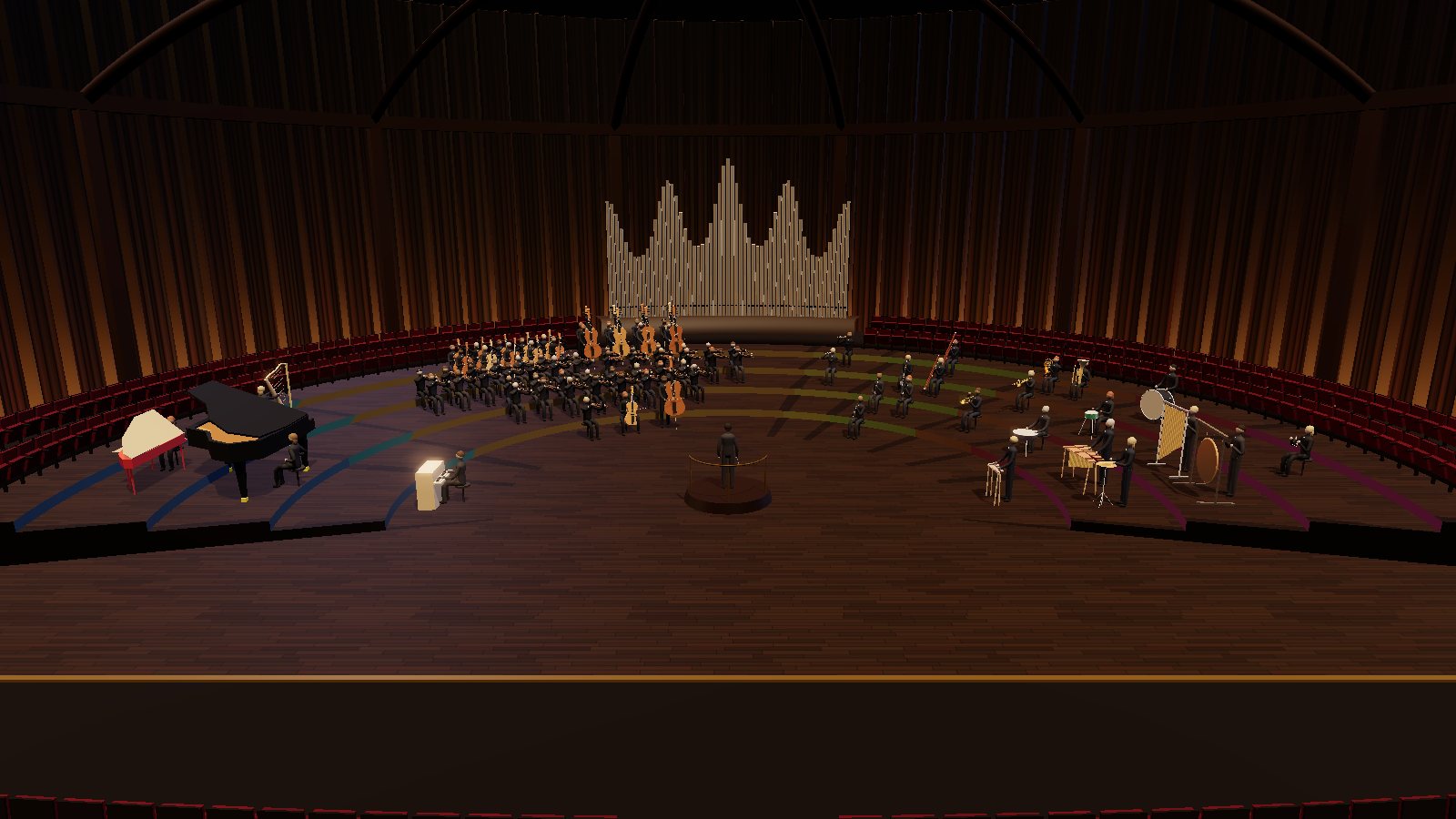
A concert hall in your browser
Every instrument, one stage
Downloads about 2 MB. Best on a laptop or desktop.
Everything you make is kept in this browser as a project. Sign in or create an account and your projects are saved to it too, ready on any device and safe if this browser's data is cleared.
On a phone the orchestra's controls don't fit the screen yet. It opens, but a laptop or desktop is the way to see it.
Our lab seated every musical instrument catalogued on Wikidata in one concert hall: more than 3,000 of them, from the violin and the grand piano to gamelan and drums from around the world. Thirty-five singers join them, from sopranos and opera voices to a full choir and a rapper. Every instrument has a 3D model, a sound and a player who holds it and moves with the notes, while a conductor beats time.
Choose who’s on stage: a symphony orchestra, a baroque band, a jazz group, a choir, one family of instruments or the whole catalogue at once, and the hall grows to fit. Then make music three ways: build a loop in the pattern sequencer, write a score in plain text (with words for the singers), or drop in a MIDI file. Click any instrument to fly over to it and play it from its own keyboard.
Experimental. The Virtual Orchestra is a 3D app made for a laptop or desktop with a graphics card, and works best in Chrome or Edge. Its controls don’t fit a phone screen yet. Opening it downloads about 2 MB, and each recorded instrument about 2 MB more the first time it plays. The singers are synthetic voices: expect clear vowels and consonants rather than a human singer.
Your projects and settings are kept in this browser’s storage. An account is optional: sign in and your projects are saved to it as well, so they’re on any device you sign in on and safe if this browser’s data is cleared. Nothing else is uploaded.
Instrument data from Wikidata (CC0). Recorded notes from the FluidR3_GM sound font by Frank Wen, rendered by Benjamin Gleitzman’s midi-js-soundfonts (MIT). 3D graphics by three.js (MIT). Most instruments are modelled in code; 21 use 3D models by other people under CC0 and CC-BY licences, each credited with its source in the orchestra’s Hall tab.
Tool · New
Make a free QR code for a link, Wi-Fi, a contact card, email, phone or text. Static codes that never expire, with no sign-up and no watermark. Download PNG or SVG, or print.
Tool · New
Make a free online sign-up sheet for a potluck, volunteer shifts or team snacks: share one link, and people tick what they'll bring or do. No accounts, no emails, no app.
Tool · New
Draw names online for a gift exchange, Kris Kringle, a book swap or a secret pal: keep partners apart and send everyone a private link. No sign-up, no emails.
Cookies on LabAnvil
Analytics and advertising cookies help us see which tools people find useful and keep the site funded. Nothing is stored until you accept. See the privacy page for what gets collected.